
01
Start with what you have
Upload a hand sketch, a site photo, a SketchUp or CAD export, or a moodboard. No 3D modelling, no prep work — the project starts where it already is.

From idea to client-ready interior.
Design, visualize, and refine your projects in one place.
Free signup credits. No credit card required.
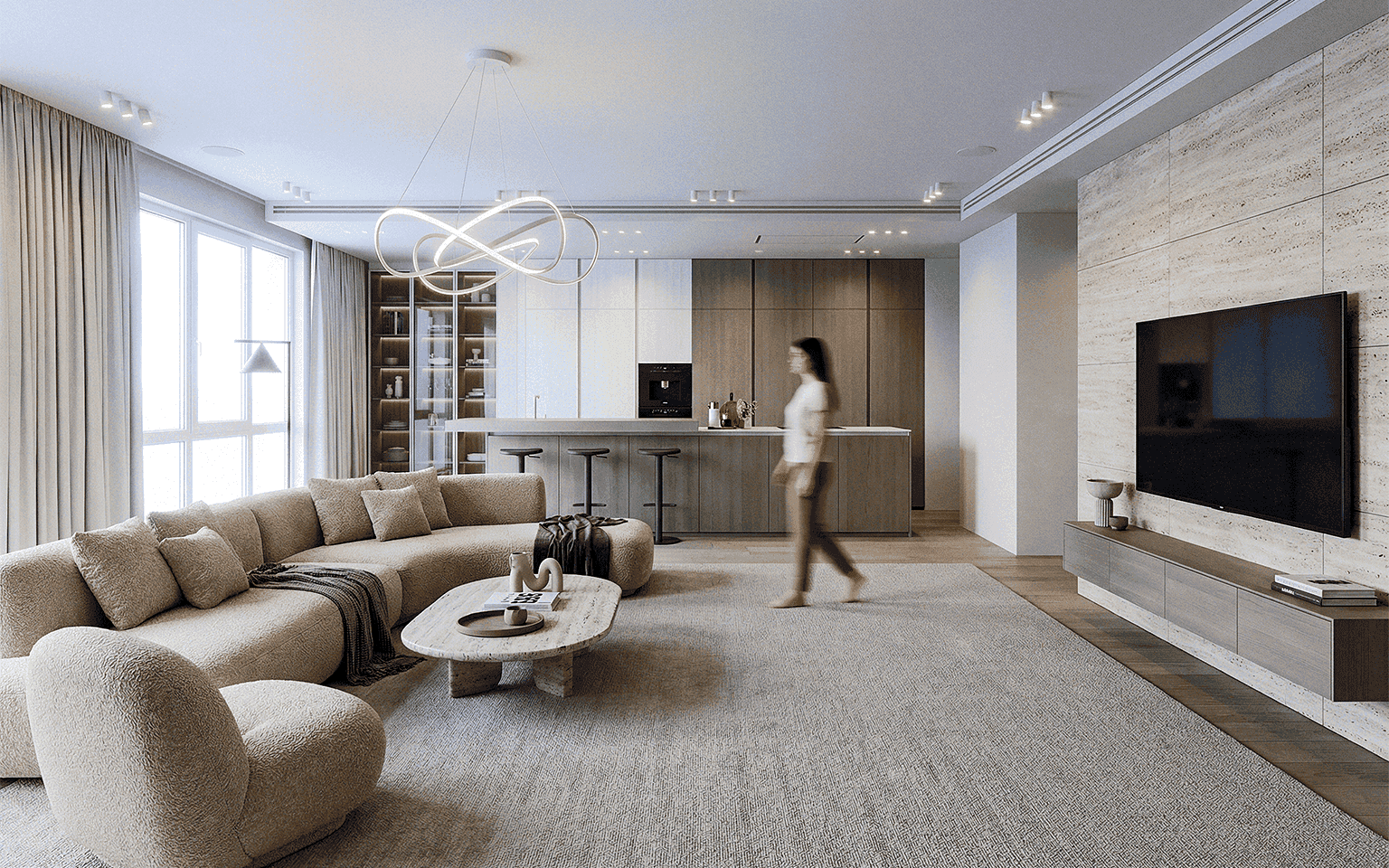
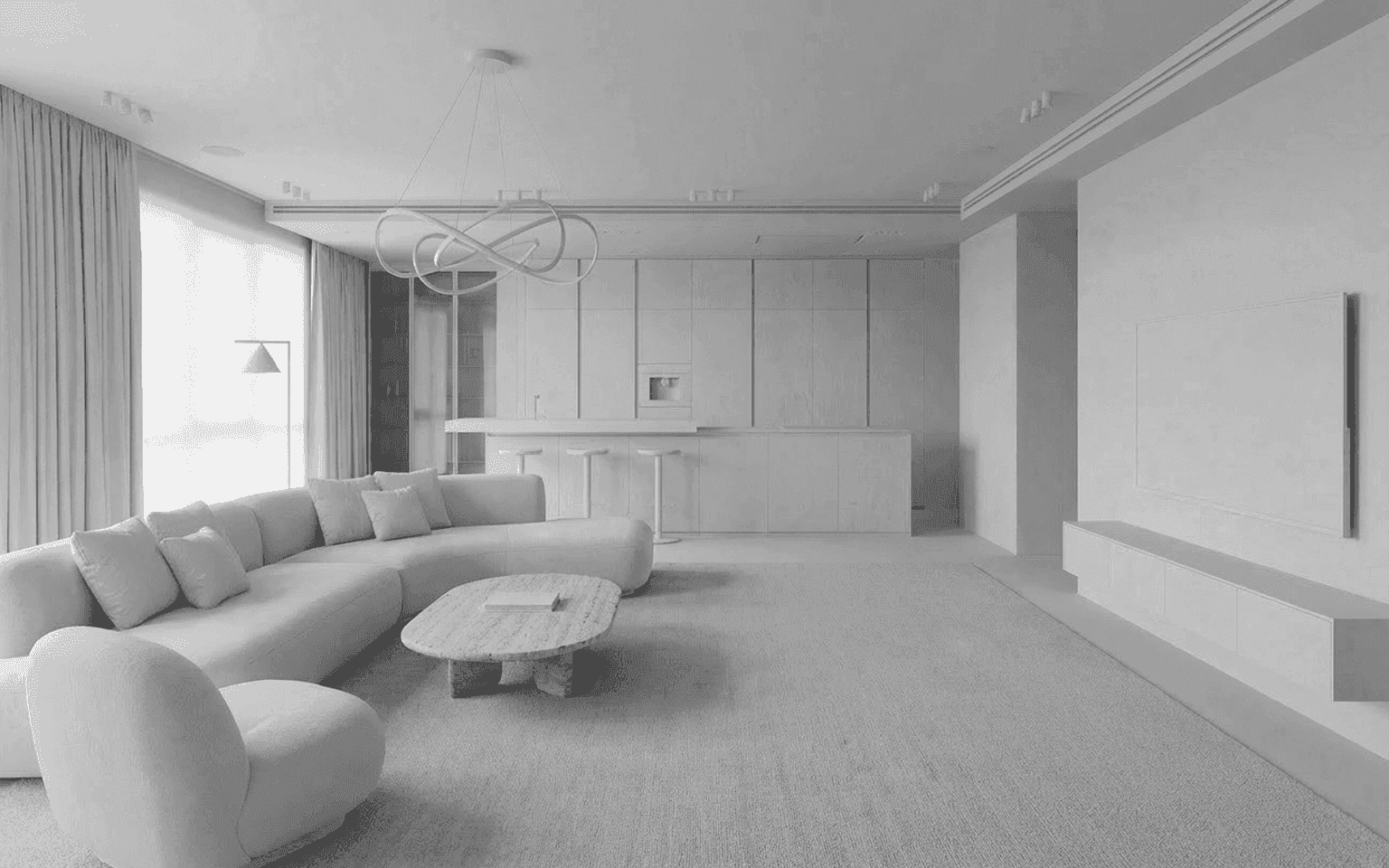
Drag to compare — a concept sketch and the presentation render delivered from the same file.
The design editor
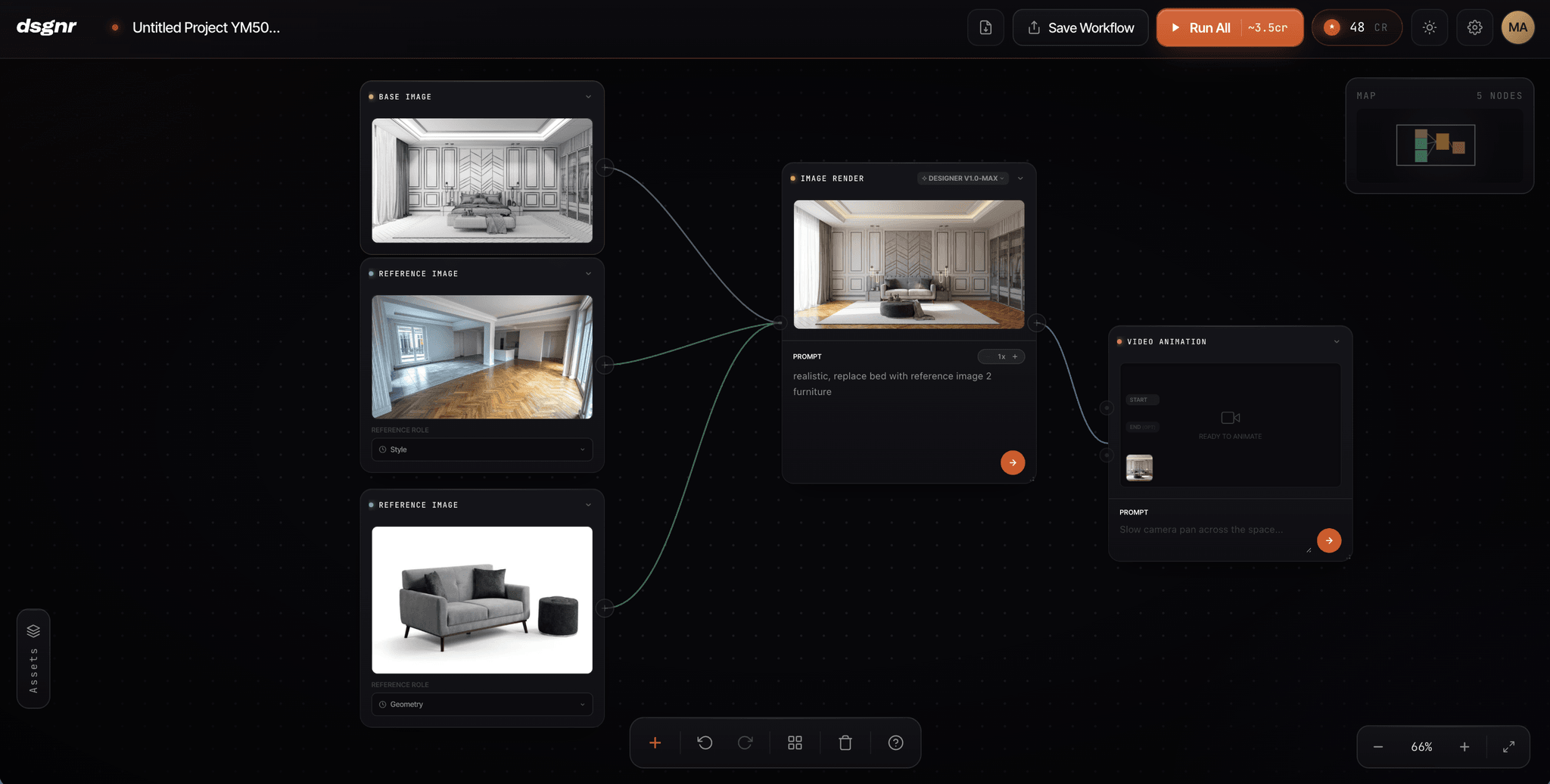
Drop in a sketch, a photo, or a 3D export. Connect render, material, and style blocks into a visual pipeline, and tweak any step until it's right — change one input and everything downstream updates. No starting over, no re-rendering from scratch. When a setup works, save it and run it on the next project.
Free signup credits. No credit card required.
How it works
Start with what you have, refine until it's right, send it to your client. That's the whole workflow.
01
Upload a hand sketch, a site photo, a SketchUp or CAD export, or a moodboard. No 3D modelling, no prep work — the project starts where it already is.
02
Pick from 30+ interior styles and render in seconds. Swap the material on a single wall, restyle one corner, or redo the whole room — the geometry your client approved stays put.

03
Export 4K renders, walkthrough videos, and moodboards, then share them through a private link with an expiry you control. No exporting, renaming, re-uploading.

The platform
The design editor for full projects, and a simple canvas for quick edits. Same projects, same assets, same library.
The design editor
For designing, visualizing, and iterating
The node-based design editor. Wire blocks together — render, materials, moodboard, 3D, video — into a visual pipeline you can tweak at any step. Save the setup once and reuse it on every project after.
The canvas
For quick edits and everyday renders
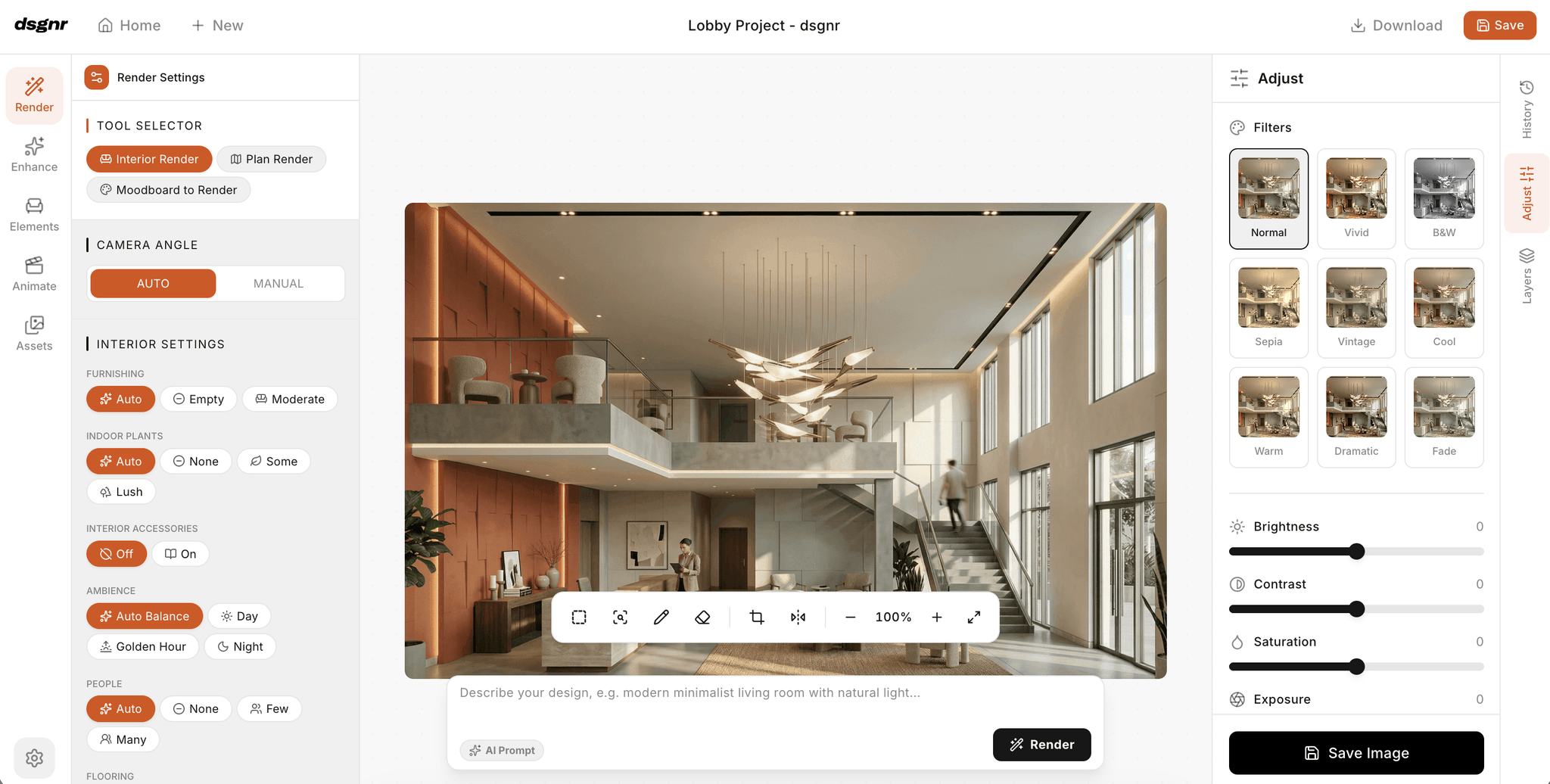
A simple canvas for fast work. Render a room, click a wall and swap the material, stage furniture, erase what doesn’t belong, and export in 4K — no pipeline needed.
Both come with 30+ interior styles, a shared asset library, and render models with controls for geometry, lighting, and scene context.
Explore the platformFor studios
Shared credits, clear roles, and every project in one place — instead of a pile of personal accounts.
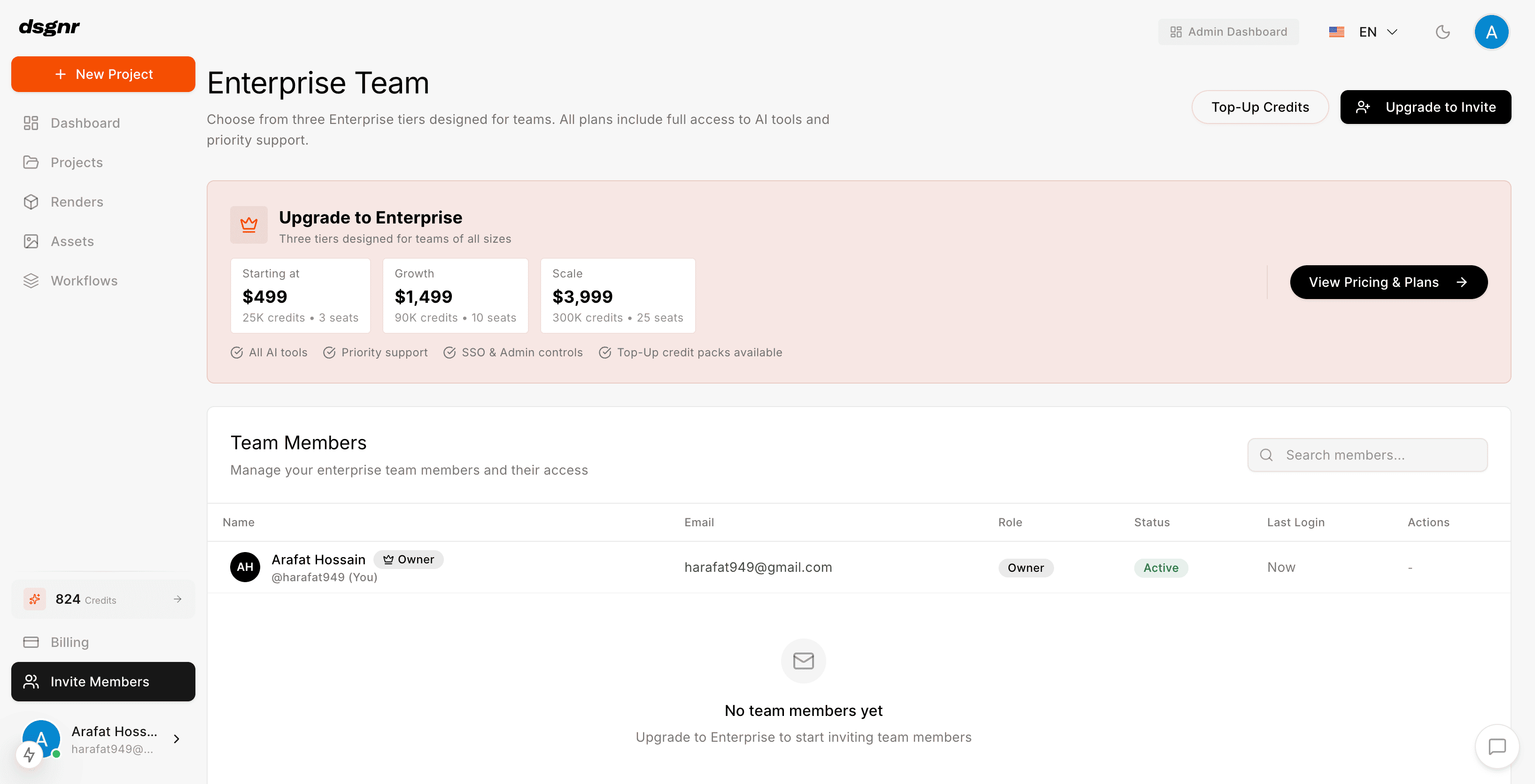
Every designer gets a seat — owner, admin, or member — managed from one dashboard.
Buy credits once, set a limit per member, and top up when a deadline demands it. No more personal subscriptions to chase.
Rendering activity across the whole team, by member, over 7, 30, or 90 days.
Connect Azure AD and new hires land in the workspace automatically, on the right plan.
Client delivery
Everything you make in dsgnr is ready to present — no exporting, renaming, or re-uploading somewhere else.

01
Share renders or whole folders through a private link that expires when you say — a day, a week, a month. The client sees a clean gallery, not your working files.
02
Invite a client or consultant into a single project, with view or download rights. They see that project, and nothing else.
03
Build moodboards from your renders, uploads, and asset library — the concept and the visual land in the same presentation.
04
When a pipeline delivers work a client loves, save it as a workflow and run it again on the next project.
Get started
Sign up free, get signup credits, and render your first concept today. No credit card required.
dsgnr (pronounced "Designer") is an AI design platform built for interior design studios. It covers the full arc of a project — concept intake, iteration, and client-ready presentation — with a shared workspace for every designer on the team.
Studio plans come with seats and roles (owner, admin, member) managed from a teams dashboard. The studio shares one credit pool, with per-member limits and usage analytics so you always know where production time goes.
Yes. Studios can connect Azure AD and enforce SSO for their domain. New team members signing in with a company email land in the studio workspace automatically.
Yes. All generated designs can be used commercially on any paid plan.
Export your SketchUp model or CAD drawing as an image, upload it, and render. dsgnr preserves your geometry while applying styles, materials, and lighting — no re-modelling required.
Yes. Select any area — a wall, a floor, a single piece of furniture — assign materials or describe the change, and regenerate just that region while the rest of the design stays untouched.
Start free with signup credits, then subscribe monthly or buy one-time credit packs. Studios use seat-based plans with a shared credit pool and top-ups when deadlines demand more.
Share renders or whole folders through private links with an expiry you control, or invite clients into a specific project with view or view-and-download access. Exports go up to 4K, plus animated walkthroughs.