dsgnrdsgnr - AI Architecture Rendering

30% discount
for students & educators

As a student or educator, you get a 30% discount on any pricing plan.
Just enter your educational email address and start saving.

Note that you need to use your active educational email to apply.

Not sure your email is eligible? Contact Us

How to get the discount

Enter Your Email

Type in your educational email address into the field above.

Check your email

Click the magic link in the email.

You got the discount

Buy some great apps using the link we sent you.

Workflows

Start from anything, end with perfection.

Your hand-drawn ideas become presentations that sell.

Try it for free
Before
From 3D Models & Sketches - before
After
From 3D Models & Sketches - after
PaperiPadDigital
Learn more

The platform

Two studios. One body of work.

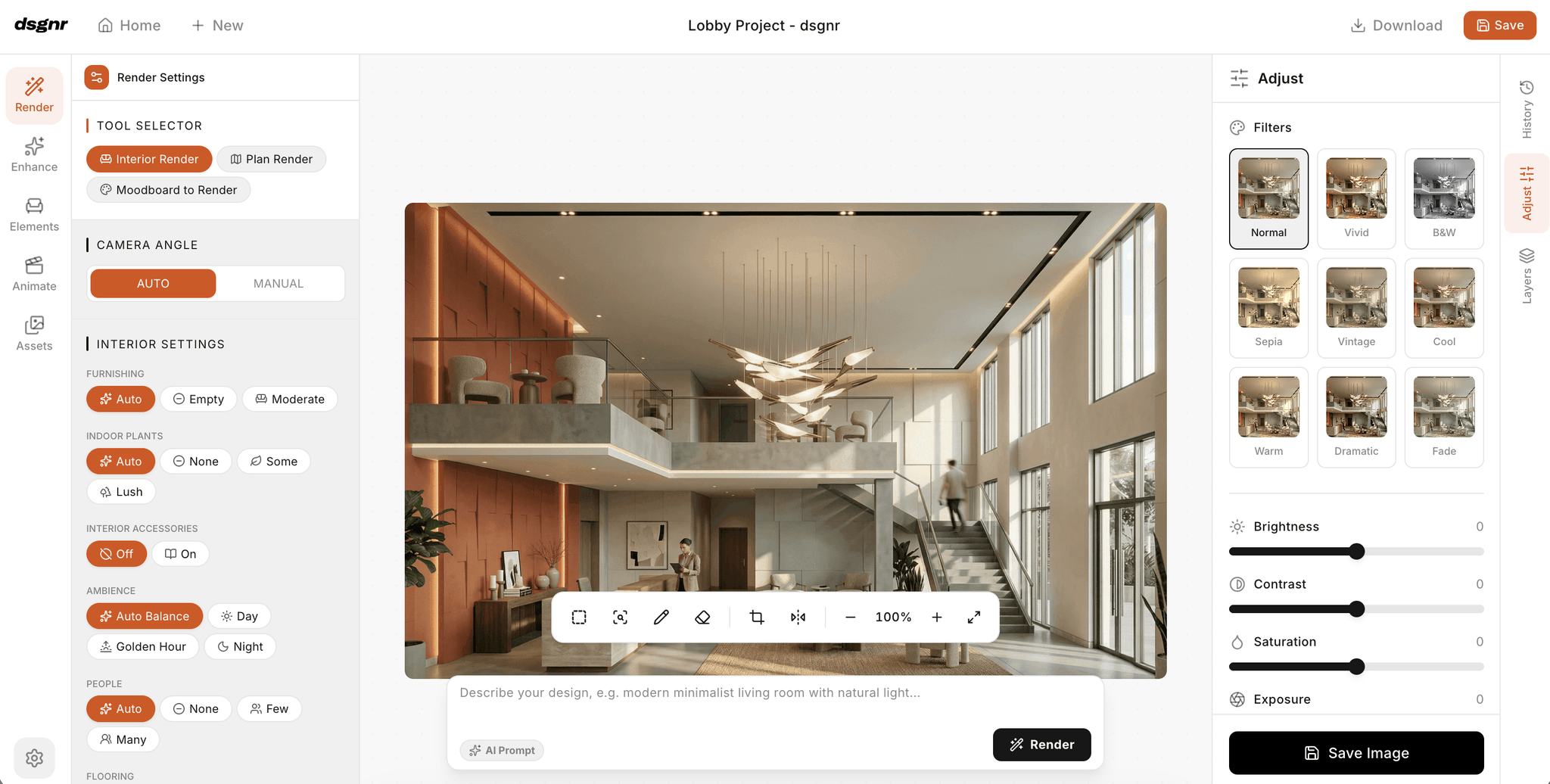
A guided canvas for daily design work, and a node-based pipeline editor for the processes your studio wants to standardise. Same projects, same assets, same library.

The Studio Lite canvas editor with render settings, filters, and adjustment panels around an interior render

The canvas

Studio Lite

For the day-to-day design work

A guided canvas where designers render, edit, and refine. Select a wall and assign a material, split a render into layers, stage furniture, and take the result to 4K or a video walkthrough — all in one surface.

  • Layered canvas with collage, furniture staging, and saved layers
  • Select & assign — segment any surface and apply materials
  • Precise edits: inpaint, AI eraser, background removal, crop and extend
  • 4K upscaling, render enhancement, and animated walkthroughs
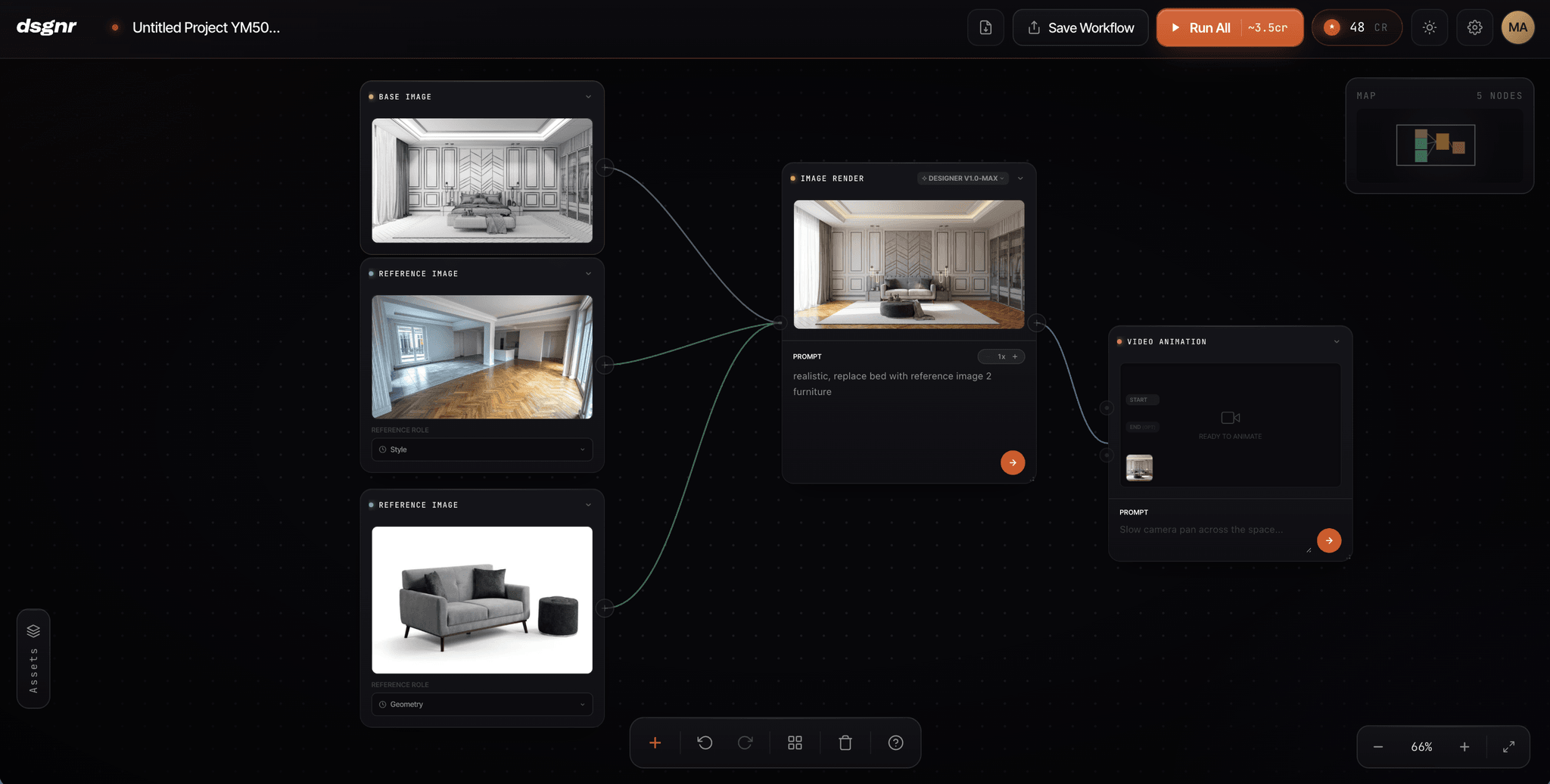
The Pro Studio node-based editor with base image, reference, render, and video animation blocks wired into a pipeline

The pipeline

Pro Studio

For the workflows your studio repeats

A node-based editor where senior designers compose AI blocks into repeatable pipelines — then save them as workflows the whole team can reuse. The studio standard, encoded once, applied to every project.

  • 20+ composable blocks: render, moodboard, scene composer, 3D assets, video
  • Layout-to-3D, camera angle, aspect ratio, and detail-boost nodes
  • Save any pipeline as a reusable workflow for the team
  • Auto-save, templates, groups, and full undo history

Both studios ship with 30+ interior styles, a shared asset library, and Designer render models with controls for geometry, lighting, and scene context.

Explore the platform

Get started

Bring your studio's work
into one place.

Sign up in seconds and render your first concept today — free signup credits, no credit card required.